

There are several RiskyProject software versions to select from based on your organization’s needs. This page provides an overview of the options.
RiskyProject Lite
Monte Carlo Schedule Risk Analysis Software
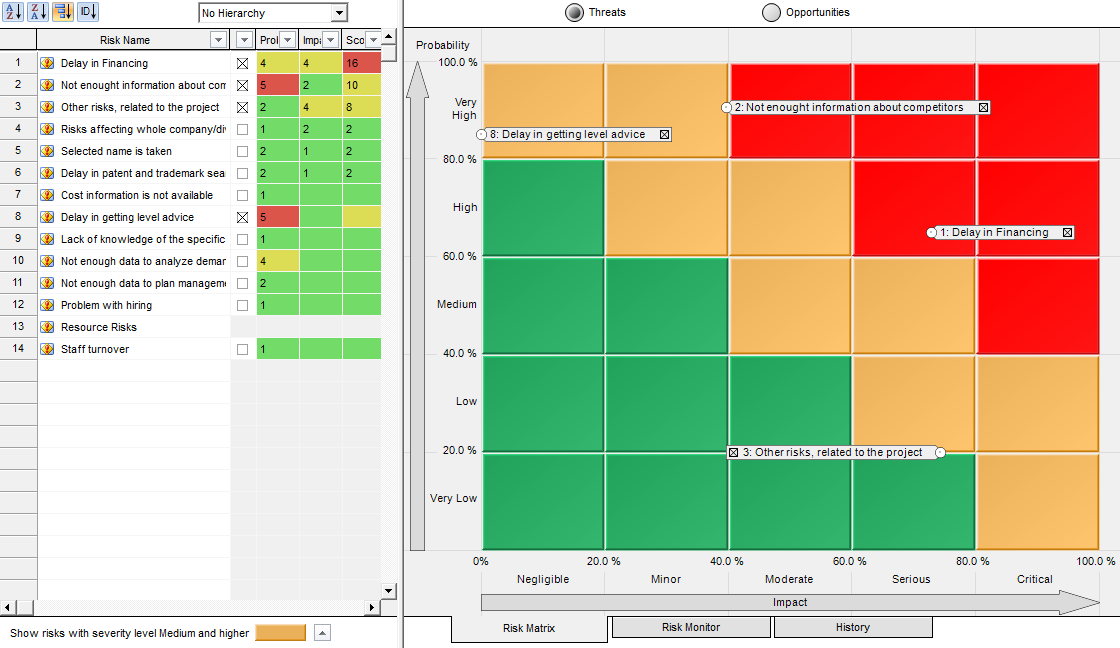
RiskyProject Lite is a project risk analysis software. RiskyProject Lite includes schedule risk analysis, cost risk analysis, risk register, risk adjusted Gantt chart, multiple reporting view.
RiskyProject Lite is designed for project managers without advanced knowledge of risk analysis theory. With it, you can create a project schedule or use project schedule from Microsoft® Project, Oracle® Primavera, or other project management software. Once you have your schedule, just define your risks using risk register and calculate the schedule to determine your risk profile.
RiskyProject Lite is
- Schedule and cost risk analysis using Monte Carlo simulations
- Integrated Monte Carlo risk analysis for Microsoft® Project
- Integrated with Oracle® Primavera and other project management software
- Risk events
- Risk Register
- Risk adjusted project schedule
- Probabilistic resource allocation
- Correlations between task durations and cost; risk event correlation
- Multiple customizable reporting views
- Project tracking with risks and uncertainties
- Easy to use, no programming required!
RiskyProject Professional
Advanced Project Risk Management and Schedule Risk Analysis Software
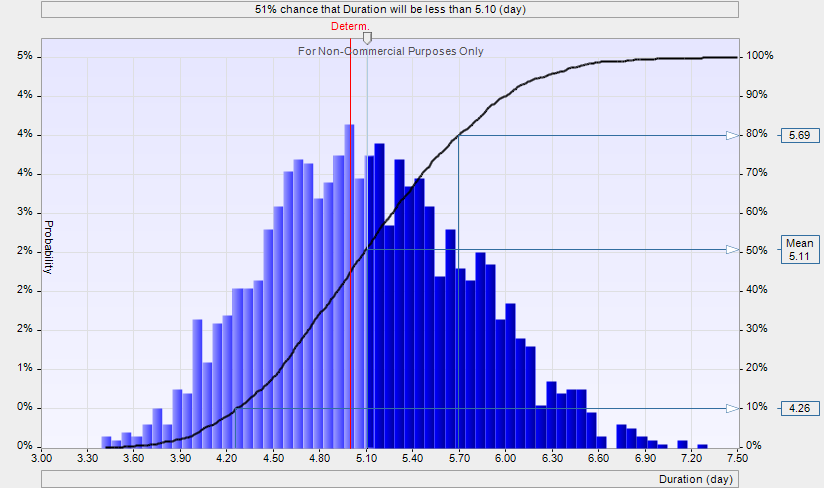
RiskyProject Professional is a project risk management project and project risk analysis software:
Supports the complete project risk management life cycle:
- Risk Register
- Risk ranking
- Customizable risk matrix
- Risk response and mitigation plans
- Risk mitigation waterfall chart
- Comprehensive set of risk properties
- Risk status and risk review
- Replacements for Primavera Risk Analysis -PRA (Pertmaster)
Comprehensive quantitative cost and schedule risk analysis:
- Schedule and cost risk analysis using Monte Carlo
- simulations
- Integrated Monte Carlo risk analysis for Microsoft® Project, Oracle® Primavera and other project management
- software
- Probabilistic resource allocation
- Multiple customizable reporting views
Advanced quantitative risk analysis:
- Conditional and probabilistic branching
- Project tracking with risks and uncertainties
- “What if analysis” with risks and uncertainties using multiple baselines
- Correlations between task durations and cost; risk event correlation
- Risk bubble chart
- Success rates view
- Probabilistic calendar
- Probabilistic cost and cash flow analysis
- Crucial tasks diagrams
- … and more
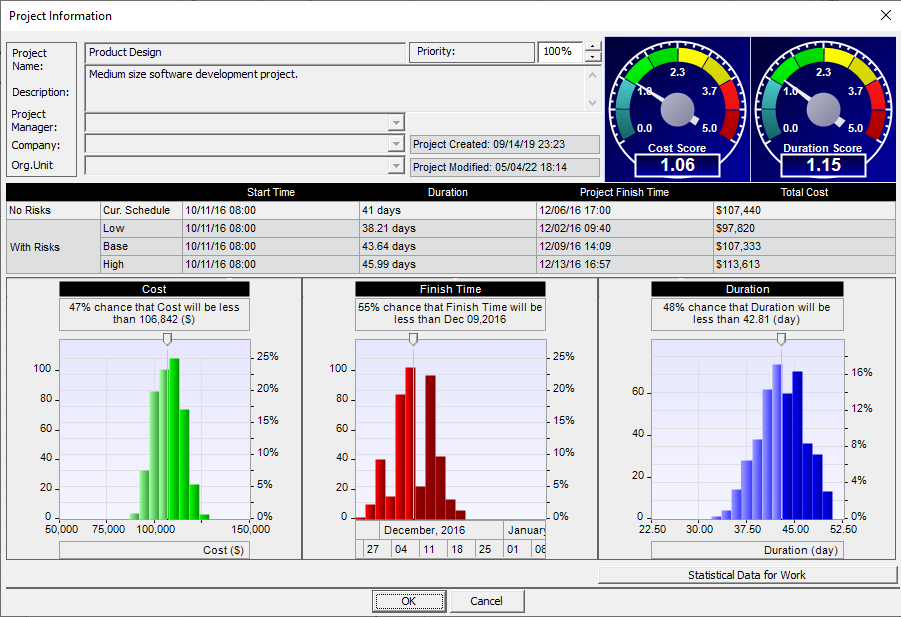
Please contact Intaver Institute for pricing
RiskyProject Tutorial…
RiskyProject Enterprise User Guide…
RiskyProject Professional User Guide…
RiskyProject Brochure (PDF)…
RiskyProject Administrator’s (PDF)…
RiskyProject Online Help System…
To use RiskyProject Enterprise you require at least 5 licenses of RiskyProject Professional or Lite to act as the desktop client and a RiskyProject Enterprise Server. You can easy switch between a RiskyProject Professional or Lite standalone to enterprise clients without installing or uninstalling software. If you already own RiskyProject Professional or Lite you only need to purchase RiskyProject Enterprise Server to take advantage of the full power of RiskyProject Enterprise.
RiskyProject Enterprise
Portfolio Risk Management and Risk Analysis Software
RiskyProject Enterprise to manage risks across your organizations. It includes all features of RiskyProject Professional or Lite PLUS:
Portfolio risk management:
- Organization-wide risk register
- Risk ranking for portfolio, programs, and projects
- Project portfolio hierarchy
- Rank your projects based their risks
- Organization-wide response and mitigation plans
- Managing risk life cycle
- Risk approval process, reviews, and risk history
Project and portfolio risk analysis:
- Assign risks to each project, program, or portfolio
- Managing threats and opportunities
- Integrated with Microsoft Project, Oracle Primavera, and other project management software
- Comprehensive risk analysis using RiskyProject Professional or Lite
User management: user roles and permissions
Seamless Integration with Microsoft® Project
Both RiskyProject Lite and RiskyProject Professional are seamlessly
integrated with Microsoft® Project:
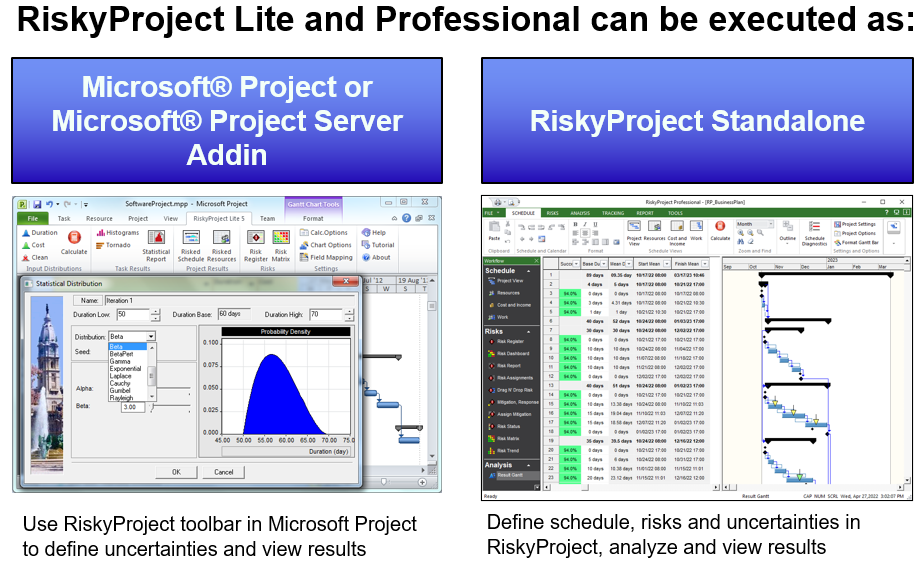
Click here for more information about RiskyProject for Microsoft® Project.
RiskyProject Lite, Professional, and Enterprise
Below is a comparison of the different RiskyProject software versions. RiskyProject Enterprise is a portfolio risk management software. RiskyProject Professional features advanced risk analysis functionalities: project planning, scheduling, quantitative risk analysis, and project performance measurement. RiskyProject Lite has the same project scheduling and performance measurement functionalities, but it includes only basic quantitative risk analysis functionalities.
| Features | Lite | Professional | Enterprise |
|---|---|---|---|
| Project and Portfolio Planning and Scheduling | |||
| Portfolio time, cost, and risk management | x | ||
| Portfolio hierarchy and portfolio Gantt Chart | x | ||
| Work breakdown structure for individual projects | x | x | x |
| Gantt Chart for individual projects | x | x | x |
| Resource and work management | x | x | x |
| Project cost management | x | x | x |
| Constraints and deadlines | x | x | x |
| Multiple baselines | x | x | |
| Multiple project, task, and resource calendars | x | x | x |
| Risk Management | |||
| Risk Register (risks and issues, threats and opportunities, open and close risks, risk properties, risk probabilities, impacts, and scores, search and filter risks based risk properties) | x | x | x |
| Schedule and non-schedule risks (schedule, cost, safety, quality, environment, technology, legal, etc.) | x | x | x |
| Risk Matrix and Risk Trend charts | x | x | x |
| Risk reviews and risk history | x | x | x |
| Documents associated with Risks | x | x | x |
| Mitigation and Response Plan Registry, Risk mitigation (“waterfall”) diagrams | x | x | x |
| Customizable Risk Dashboard | x | x | x |
| Share Risk Register among different projects | x | ||
| Common risk register accessible by different users with an organization | x | ||
| Rank projects within a portfolio based on risks, portfolio and project risk profiles | x | ||
| Customizable risk categories and outcomes | x | x | x |
| Easily assign risks to tasks or resources | x | x | x |
| Risk correlations | x | x | x |
| Risk templates (standard risk templates are included) | x | ||
| Types of Uncertainty | |||
| Risk events for tasks and resources (fixed or relative delay, fixed of relative cost increase, Task restart, End task, Cancel task, etc.) | x | x | x |
| Multiple statistical distributions for task duration, cost, income start time, and lags (Uniform, Triangular, Normal, Lognormal, Exponential, Rayleigh, Gumbel, Beta, BetaPert, Discrete, Custom, and others) | In MS Project Add-in | x | x |
| Conditional branching (If-Then-Else analysis) | x | x | |
| Probabilistic branching | x | x | |
| Probabilistic and weather calendars | x | x | |
| Quantitative Risk Analysis | |||
| Monte Carlo Simulations | x | x | x |
| Global risks (for all tasks or resources) | x | x | x |
| Local risks (for selected task or resource) | x | x | x |
| Cost analysis with risks and uncertainties | x | x | |
| Analysis of success rate using project and task deadlines | x | x | x |
| Risk analysis for product lifecycle management | x | x | |
| Sensitivity analysis (analysis how uncertainties affect project duration, cost, finish time, and success rate) | In MS Project Add-in | x | x |
| Analysis of risk mitigation using multiple baselines | x | x | |
| Reporting Tools | |||
| Customizable histograms and cumulative probability plots for task or project duration, start and finish times, cost, work, resource allocation, income and revenue | In MS Project Add-in | x | x |
| Project information views (view original project parameters and results of simulation) | x | x | x |
| Custimizable Project Dashboard | x | x | |
| Result Gantt view (compare original project schedule with results of analysis) | x | x | x |
| Optimistic and pessimistic project portfolio view | x | ||
| Customizable risk report | x | x | x |
| Report Views: Cash flow, Critical risks, Crucial task, success rate, and others | x | x | |
| Integration with other project management tools | |||
| RiskyProject Add-in for Microsoft Project | x | x | x |
| Integration with Oracle Primavera | x | x | x |
| Other Project Management Software*. | x | x | x |
| Project Control with Risks and Uncertainties | |||
| Forecasting of duration of incomplete tasks with risks and uncertainties | x | x | x |
| Project tracking views | x | x | |
| Other features | |||
| Secure access to the corporate database | x | ||
| Email notification about changing of risk status | x | ||
| User management: multiples users with different roles and permissions | x | ||
| Free unlimited customer support via email | x | x | x |
| Online help and tutorial | x | x | x |
| * third-party software should be purchased separately | |||