


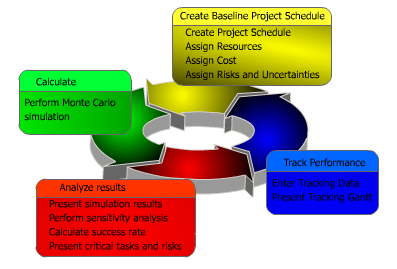
The RiskyProject schedule and cost risk analysis workflow includes four major steps, as shown on the diagram. Each step includes a number of activities and each activity is associated with at least one RiskyProject view.
First, create a baseline or original project schedule. The baseline includes the project schedule that can include resources and costs. The baseline can be created in RiskyProject or imported from Microsoft Project or other scheduling software. In addition to the schedule are added risk events from the risk register and uncertainties for cost and duration. In addition, risks and tasks can be correlated.
Second, run a Monte Carlo simulation. The simulation can be optimized to meet your requirement. These settings include the number of simulations, convergence monitoring, and defining confidence levels for low and high results.
Third, the results of the simulation are analyzed. This includes viewing the project summary that includes overview of project cost, duration, finish time with and without risk, histograms and cumulative probability charts, and joint confidence. Advanced analysis includes intuitive views including a Result Gantt, Cost Analysis, Cash Flow, Sensitivity, Risk Chart, Success Rate, and Crucial Tasks.
Finally, during the course of the project, actual performance is monitored and tracking information is updated. All process can be repeated again as soon as new data about project performance become available. RiskyProject allows you to compare baseline schedule with the calculated schedule that takes into account risks, uncertainties and actual project performance. At any step in the workflow, the data and simulation results can be viewed in several different formats.
1. Create Baseline Project Schedule
In this step, the project schedule is defined along with uncertainties, resources, and risks.
Project Schedule
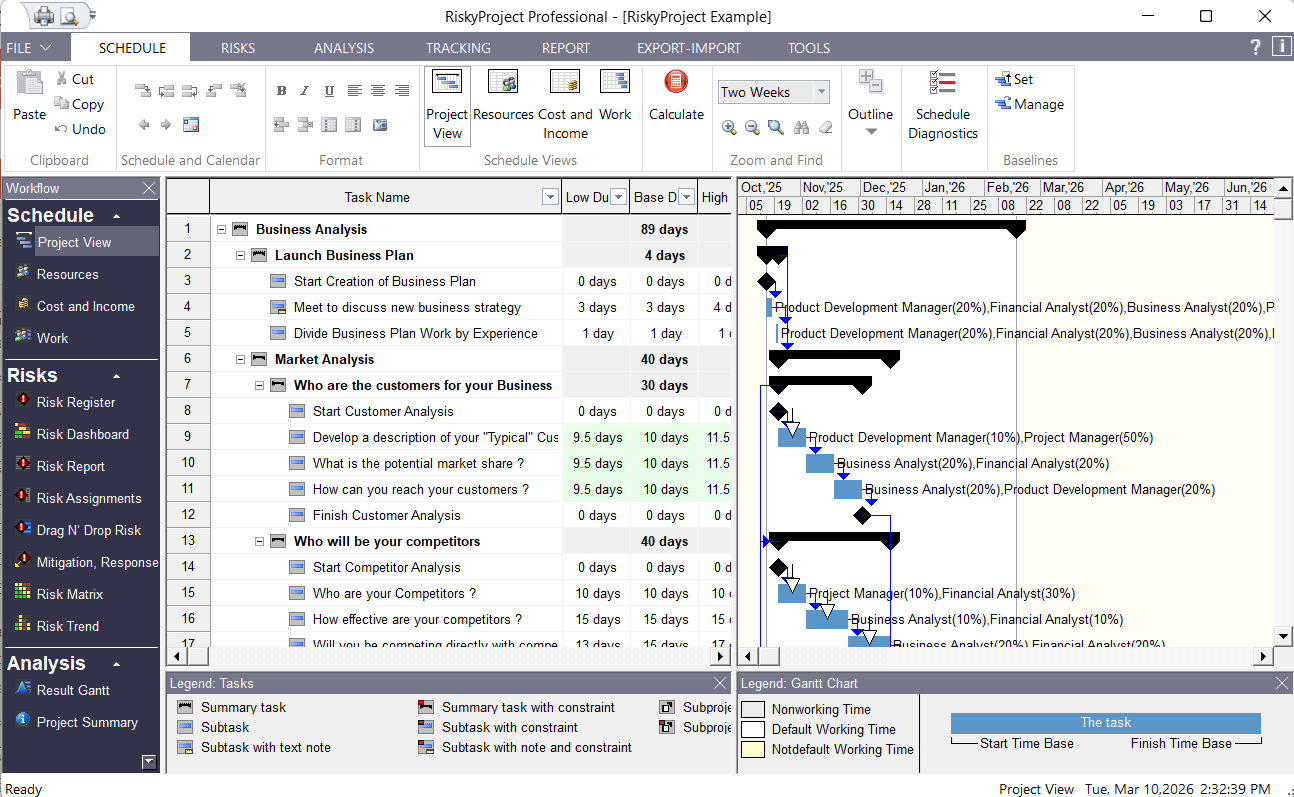
Task scheduling in RiskyProject is very similar to the process project managers use with traditional scheduling software and methodologies. The project schedule is based on tasks and is presented as a Gantt chart. The project manager specifies input project parameters, such as: duration, start and finish time, cost, etc., that are associated with a “best case scenario” outcome. You can use project schedule created in Microsoft® Project, Oracle® Primavera, or other project management for the risk analysis in RiskyProject.
Resources and Costs
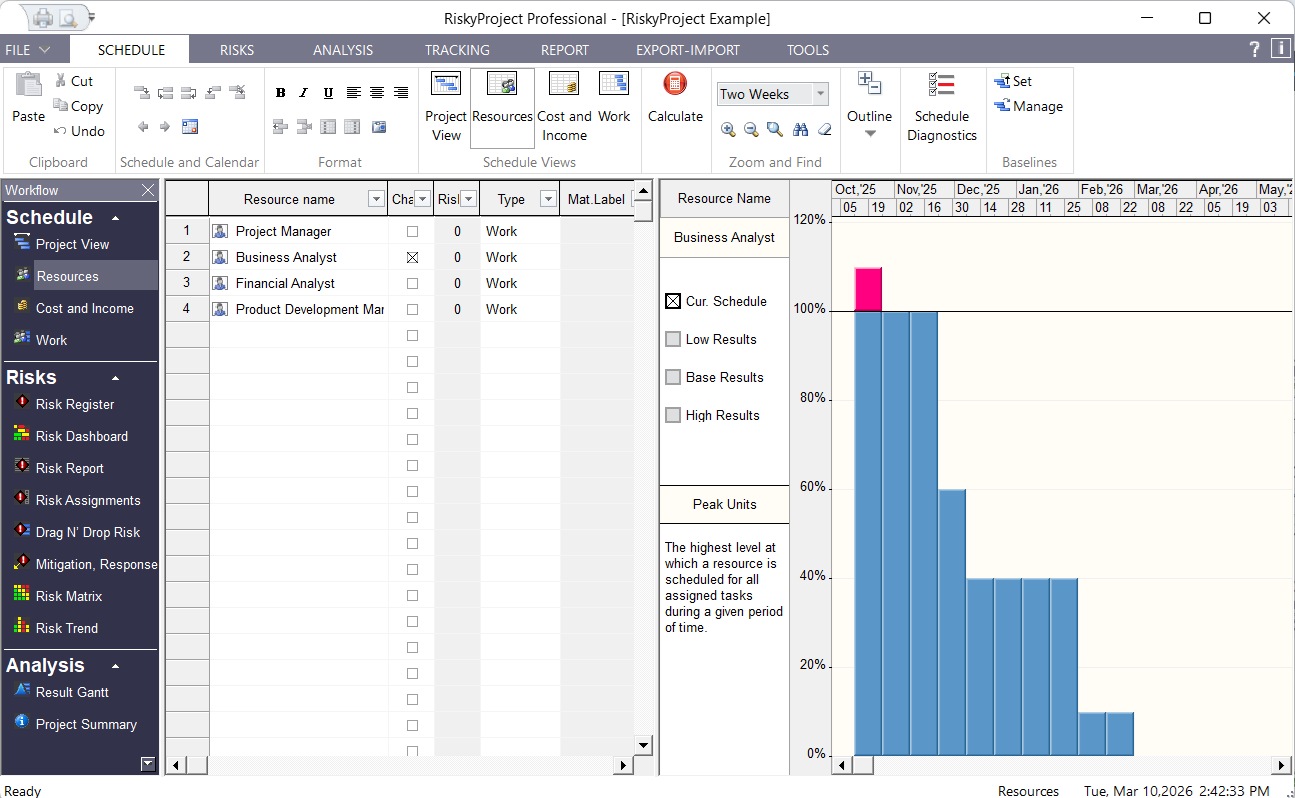
Project managers can then define work or material resources and assign them to tasks. There are two types of costs in RiskyProject: Fixed costs, which are associated with tasks, and variable costs, which are associated with resources. Costs associated with resources are calculated based on rate, units assigned, and task duration.
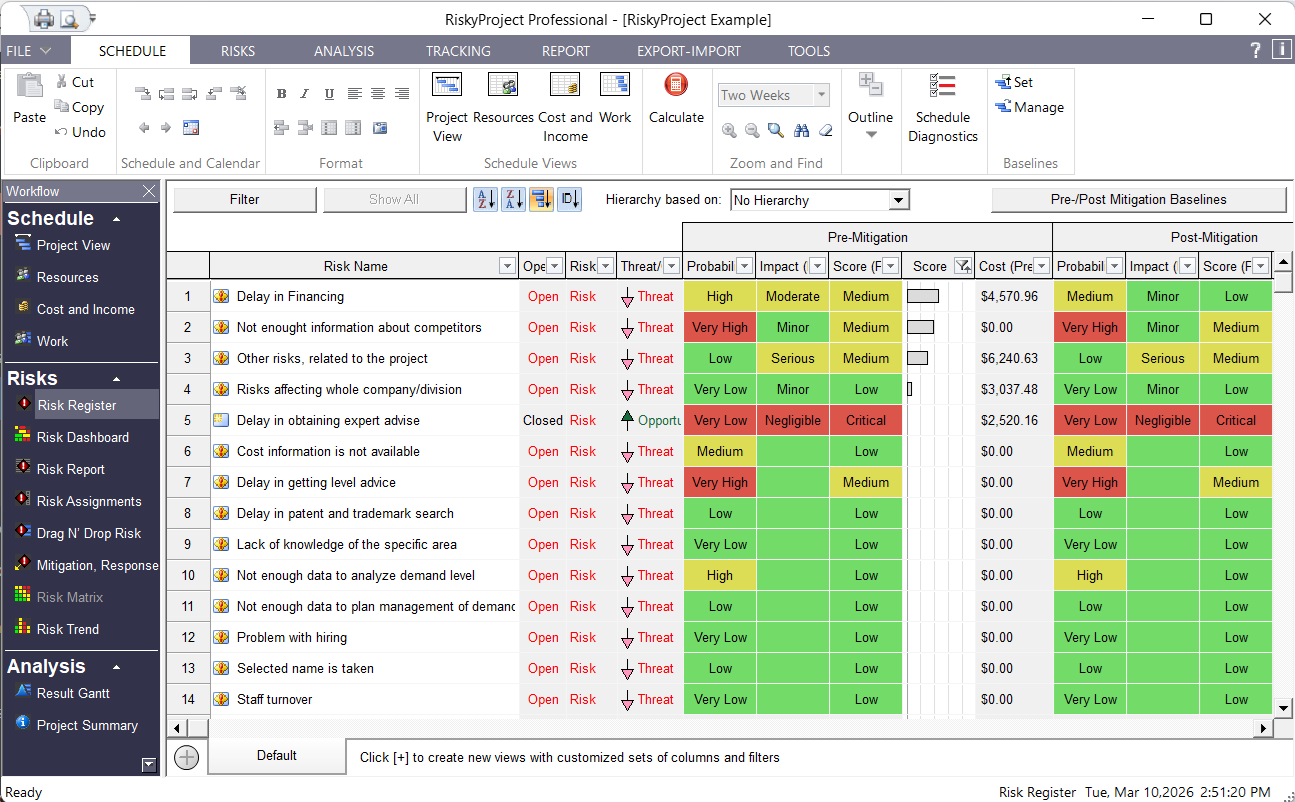
Risk Register
A risk register is a set of all risks and issues in the project. Issues are risks that have occurred and therefore are having an actual affect on your project. You can easily convert risks to issues. You can open and close risks. Risks in the risk register may have different properties (owner, recorder, contact, date recorded, date converted to issue, location, etc.). You may customize any properties for all projects.
Risks and issue can be assigned to different tasks and resources or be global. For example, you could assign the risk “Budgetary problem” to all tasks that this risk could affect. Each risk assignment will have different probabilities and outcomes. For example, “Budgetary problems” assigned to task “Project elaboration” will have chance of occurrence 30% and outcome “Restart task”.
After calculation, the risk register will present calculated risk impact, risk probability and risk score, which is equal probability multiplied on impact. The risk register also may show probability, calculated impact and score of the risk after mitigation.
The risk register can be exported and used for other projects.
In addition to the risk register, uncertainties in the RiskyProject can be represented using statistical distributions.
See Online Documentation for more information.
2. Monte Carlo Simulations of Project Schedule
You can now perform Monte Carlo Simulations of Project Schedule. To calculate the project, click the Calculate button (for small projects calculations are done automatically) and Monte Carlo simulations are performed. RiskyProject offers a number of tools with which you can analyze the results.
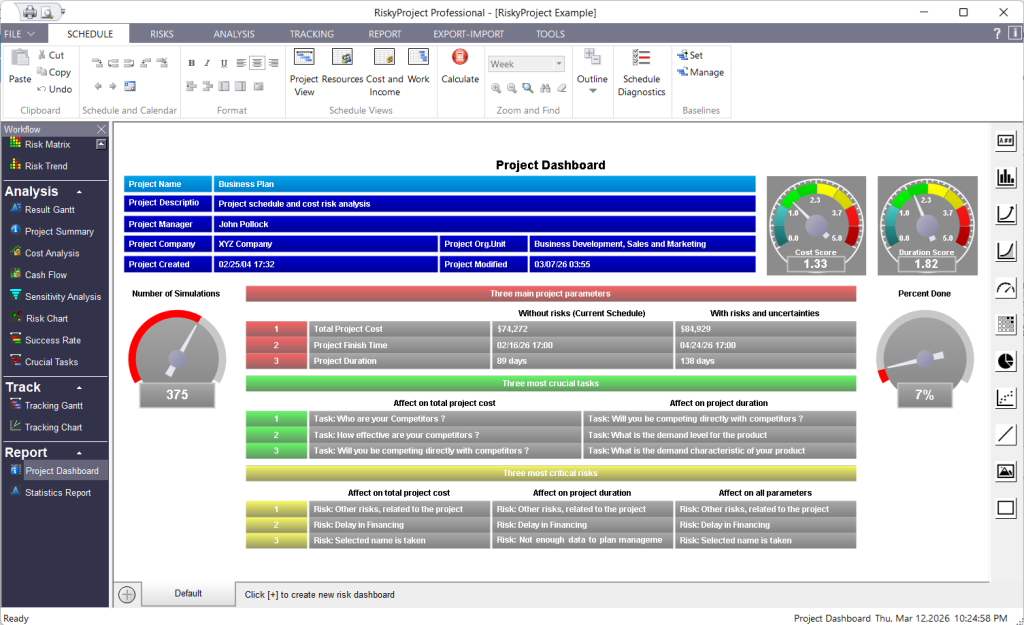
Project Summary
The Project Summary provides two different types of information. At the top, you can quickly view general information about the project, name, manager, description etc. The bottom section shows the results of the calculations without taking into account the project baseline. This information includes ranges for the project:
- cost,
- duration, and
- project finish time
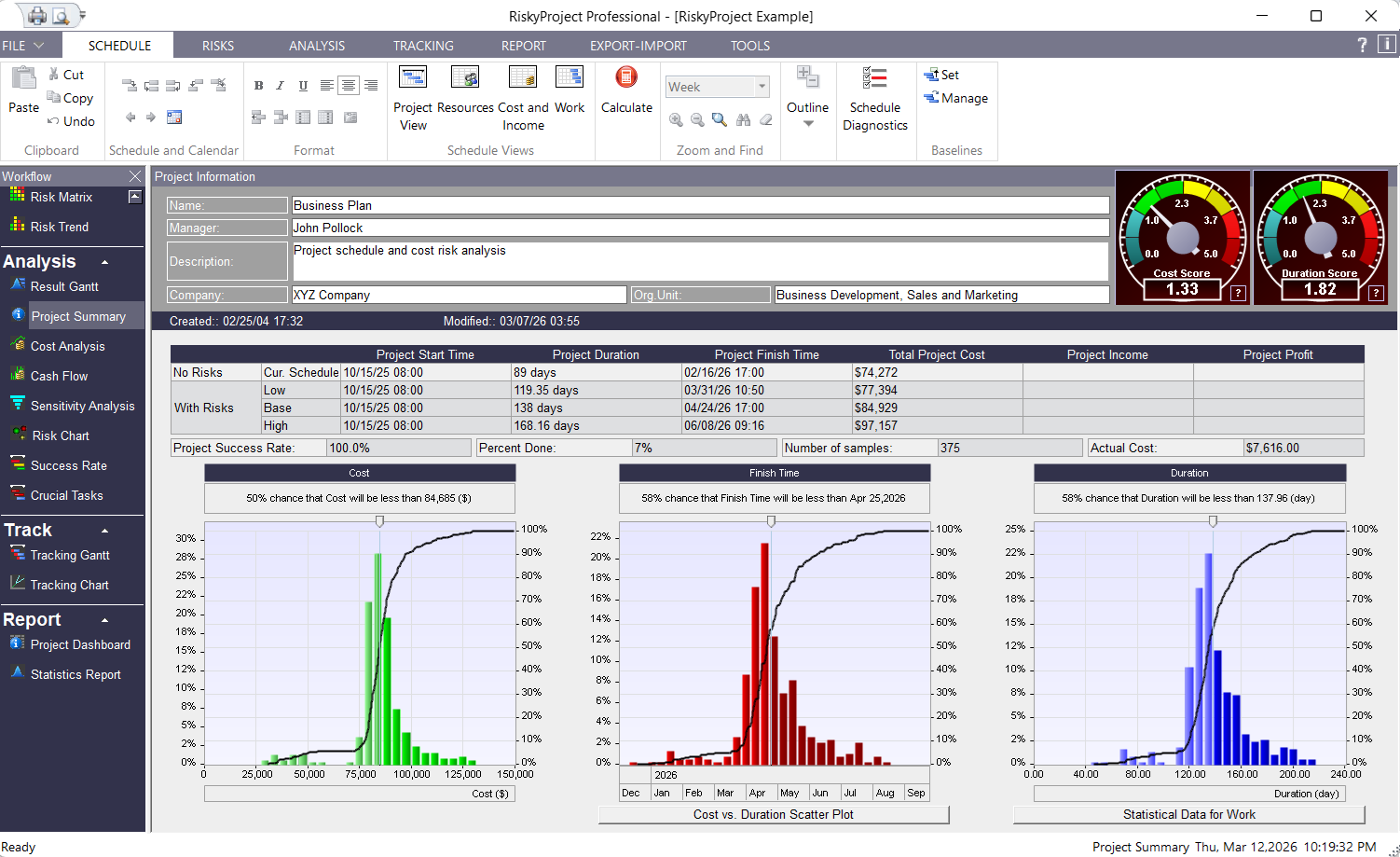
Interactive frequency and cumulative probability charts are you to determine the chance the project will be completed on certain date, will have a certain duration, and will have a certain final cost. Fully customizable project Summary also provides multiple charts, meters, and performance indicators, such is the overall project success rate, project risk scores, statistical summary, etc.
Result Gantt
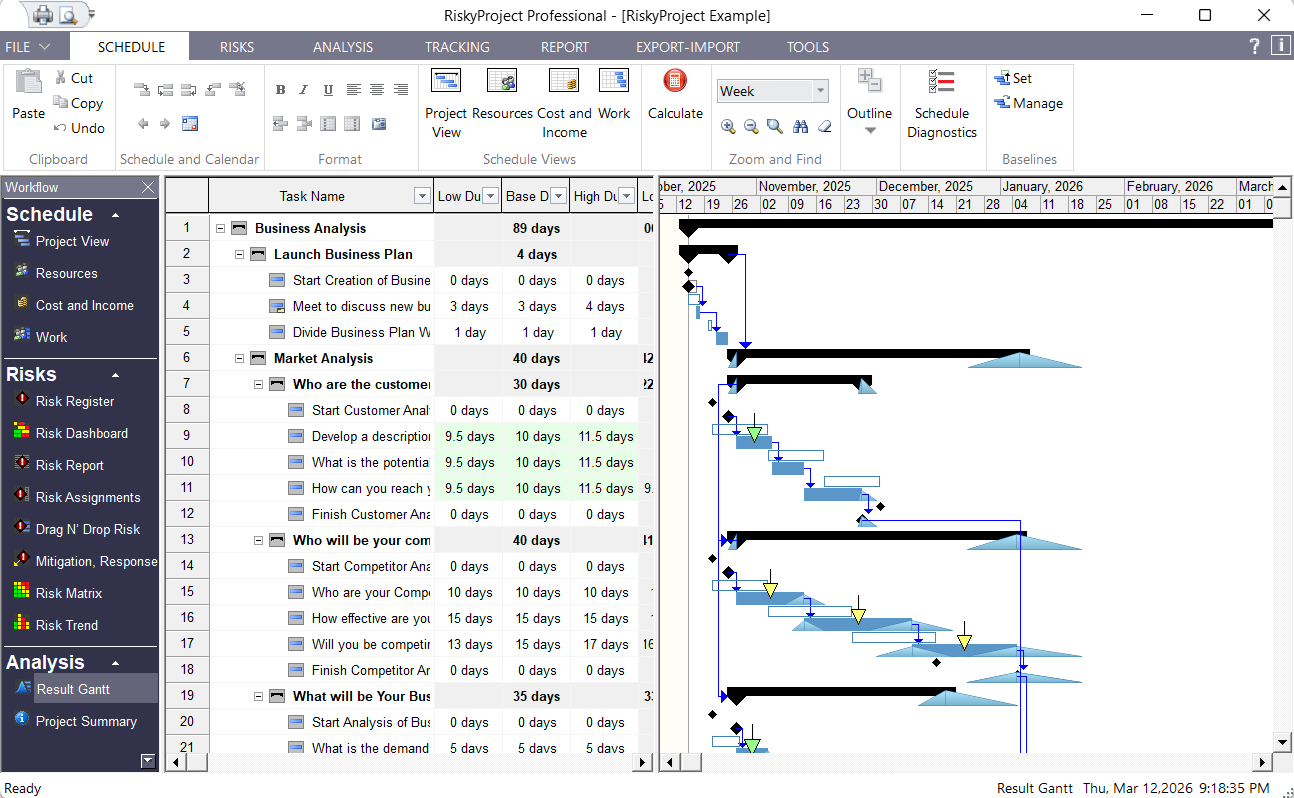
The Result Gantt chart provides an easy way to view the low and high ranges for start and finish dates for each task. It also allows you to view the baseline and calculated project schedules side by side. This allows you to quickly determine how uncertainties affect each particular task.
This is also an opportunity to perform a reality check. With the Result Gantt chart, you can easily see how the project schedule slips due to uncertainties and determine whether your initial estimates for the project and the risks and uncertainties were correct.
Sensitivity Analysis
Sensitivity analysis determines which variables have the most potential to affect your project. These variables are:
- task duration, task start time, success rate and costs
- risks
- lags between predecessors and successors
You can check how these variables affect the main project outcomes:
- total project cost
- project finish time
- project duration
- project success rate
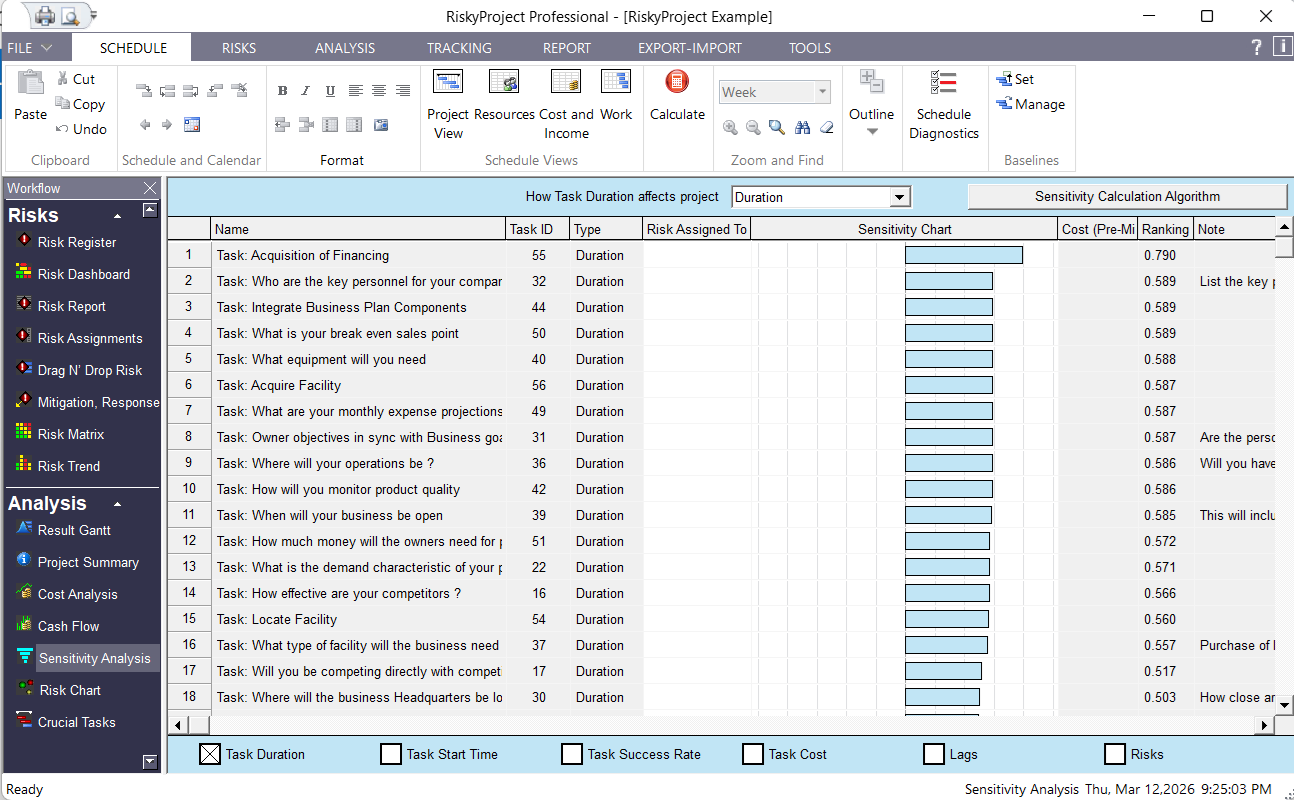
The sensitivity chart displays sensitivities in descending order: variables whose uncertainties affect the project schedule the most will are placed at the top.
Crucial Tasks
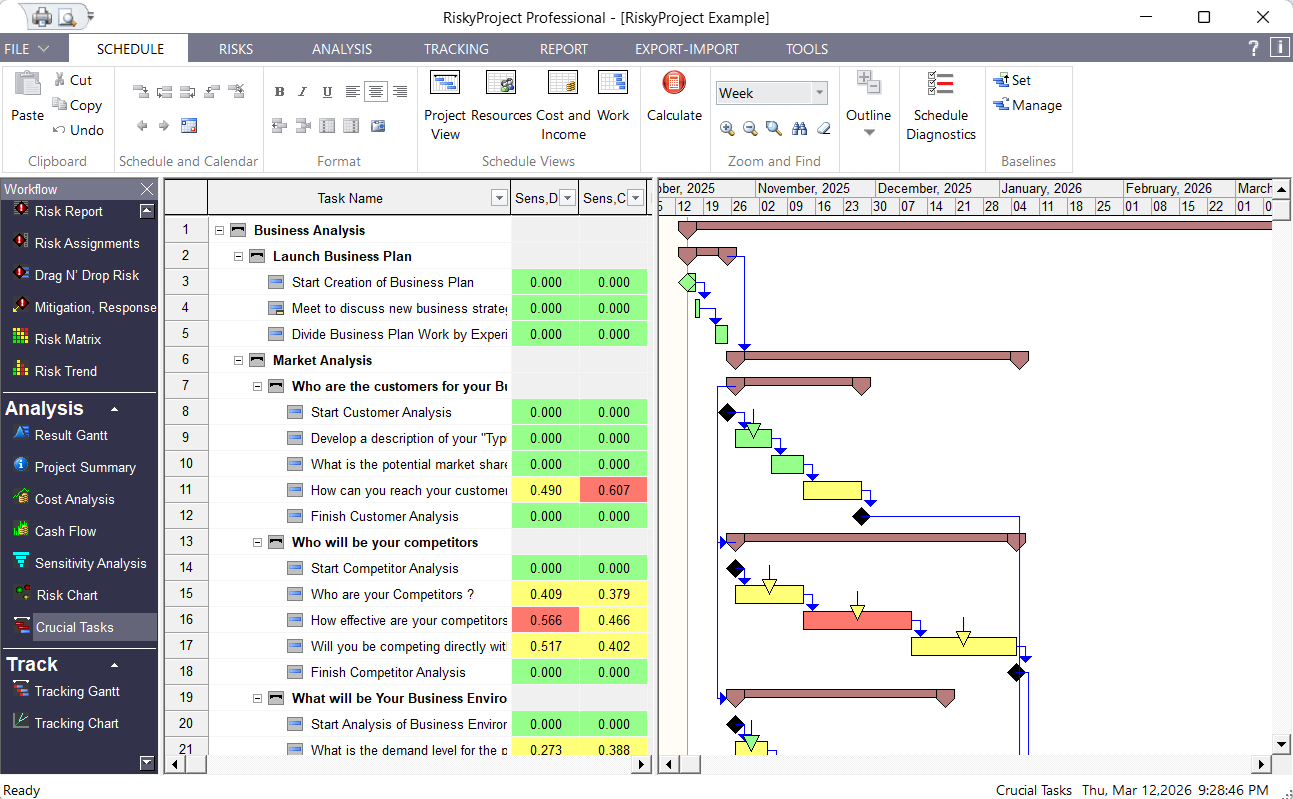
The Crucial Tasks chart shows the results of the sensitivity analysis on a Gantt chart. Uncertainties whose duration has the most affect upon the total project duration are crucial tasks and are shown in red. By mitigating risks associated with crucial tasks, you can significantly improve your project’s chance of success.
Success Rate
RiskyProject calculates every task’s success rate or chance of completion. The results are shown on the Success Rate Gantt chart using different colors. Tasks with high success rates are green, medium success rates are yellow, and low success rates are red. You can cancel tasks, if a risk with “Cancel Task” outcome occurs, or if a task has reached a project or task deadline.
3. Project Control and Reporting
Project control or tracking is an important step in the project risk analysis process. When you track a project that has uncertainties, you can apply newly obtained knowledge about project performance and recalculate the project so that it is an accurate reflection of the project’s progress. RiskyProject uses unique mathematical methods to calculate projected duration based on this tracking information. In addition, RiskyProject automatically updates the chances that specific task risks will occur. For example, if at the start of a task a risk has a 50% chance of occurring over the duration of the task, if the task is 50% complete, there is a reduced chance that the risk will occur.
Input Project Control Data
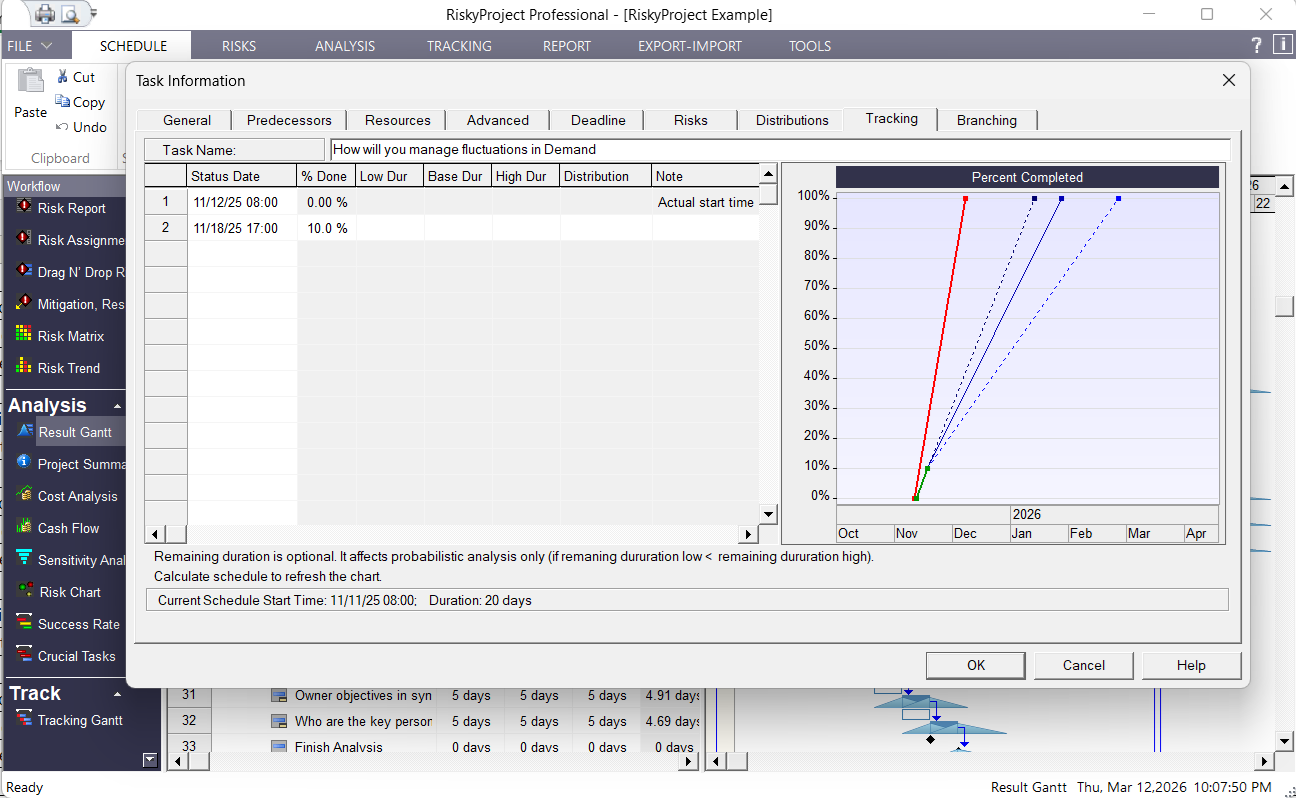
You can add information about each task. This is entered as the percentage of work done at a specific date. RiskyProject recalculates and shows an updated duration projection on a chart.
Forecast Finish Time with Risks and Uncertainties
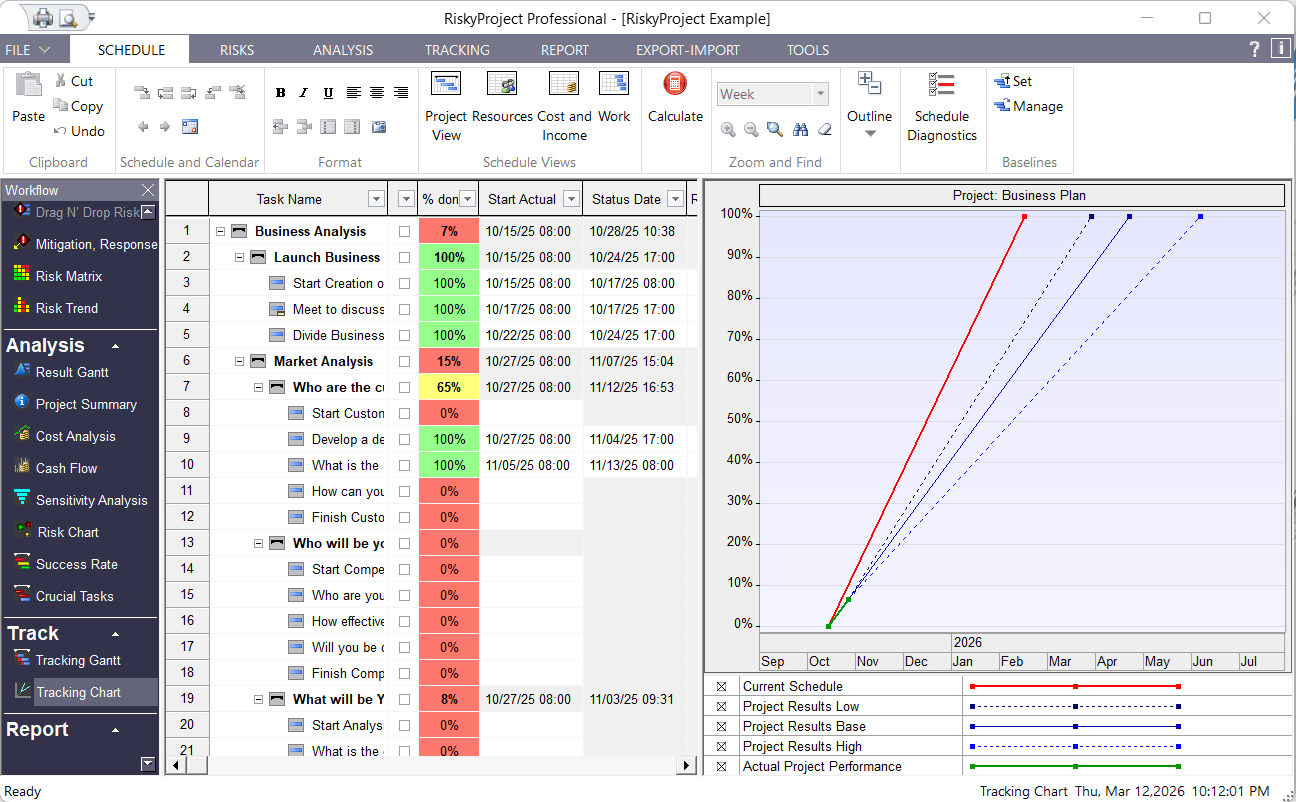
After you add tracking data, you can recalculate your project schedule. RiskyProject applies the updated duration and chance of occurrence for risks. You can view the new project schedule on the Tracking Gantt chart. The Baseline schedule is also shown in the chart, so you can assess how your original estimates are different from actual project performance.
Comprehensive risk reporting
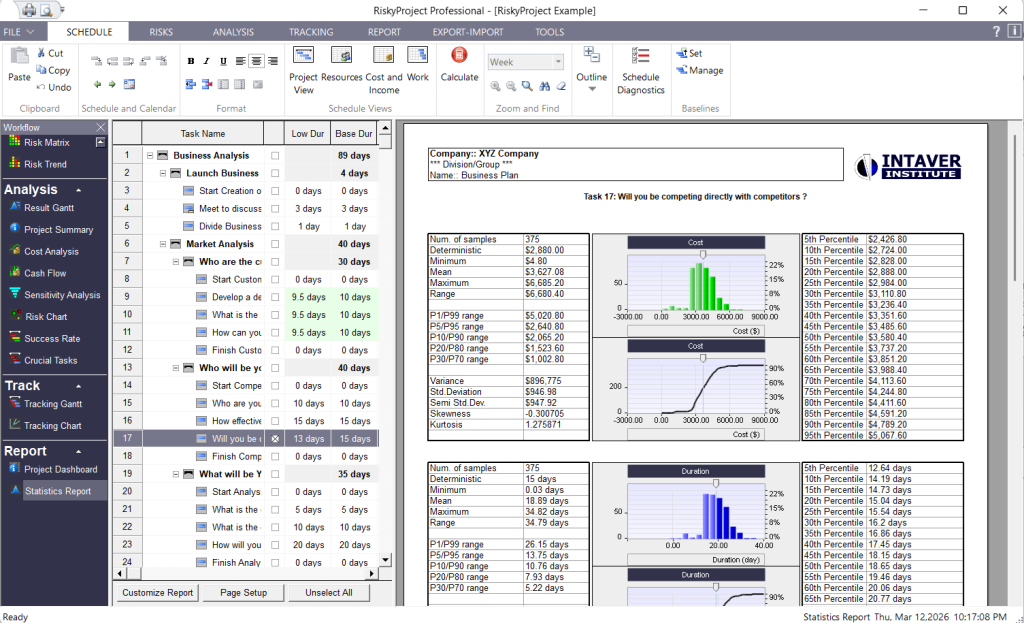
RiskyProject comes with extensive set of reporting tools, which we you can use to present result of Monte Carlo simulations for individual tasks and complete projects.