
Home   Online store   Demo   Forum   Site Map

Project Risk Management

                               PROJECT RISK ANALYSIS SOLUTIONS

Risk Analysis with Microsoft Project

Click here for more information

Project Risk Analysis with Microsoft® Project

RiskyProject can perform risk analysis using a project schedule created in Microsoft Project. Just save your schedule created in Microsoft Project into XML or MPX format and open it RiskyProject. You can then assign risks and uncertainties to tasks and resources and perform simulations. You will be able identify how project schedule, created in Microsoft Project is affected by risks and uncertainties. Results of analysis can imported back to Microsoft Project. Microsoft Project can be launched directly from RiskyProject. 


Risk Analysis with Primavera

Click here for more information

Project Risk Analysis with Primavera®

Primavera is one of the leading project management software developers. RiskyProject is designed to easily integrate with Primavera Project Management software. RiskyProject can read project data created in Primavera and perform quantitative risk analysis on your project. Results of analysis can be exported back to Primavera software. RiskyProject is also integrated with Primavera's SureTrak. SureTrak can be launched directly from RiskyProject. 

Project Decision Analysis

Click here for more information

Decision Analysis for Projects (Integration with Vanguard StudioTM)

You project has a number of alternatives. During the course of a project, you can make different decisions, which may significantly change the project. Moreover, your project is also affected but a number of risks and uncertainties.

·          What particular project scenario should be selected? 

·          How will this selection be affected by risks and uncertainties?

·          What actions should be taken if something changes in the middle of the project? 

This decision analysis solution for project schedules will help you to answer this and other questions. RiskyProject Professional allows the user to perform an analysis of different scenarios using decision trees. Decision trees can be created based on RiskyProject’s project schedule and presented using Vanguard’s DecisionPro software. 


Integration with Microsoft® Project using Steelray API

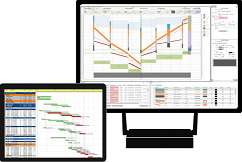
RiskyProject uses Steelray tools to open Microsoft Project files. Steelray flagship product Project Viewer is a software application that lets you open, navigate. print, and export Microsoft Project MPP files and view the information in them without requiring Microsoft Project. 

Web-based project risk analysis

Click here for more information

Web-base Project Risk Analysis

RiskyProject is Windows-based application. However project schedules created and analyzed in RiskyProject can be presented on Web using Project Reporter by CoGenTex, Inc. RiskyProject can publish schedules as MPX files. Project reporter can be easily configured to present baseline project schedules as well as results of analysis on web.


Risk Analysis with Fast Track

Click here for more information

Project Risk Analysis with FastTrackTM

AEC Software's FastTrack Schedule 8 makes it easy to organize, track, and manage all project details. RiskyProject integrates with AEC Software's FastTrack Schedule 8 using an XML or MPX interface. Just export FastTrack's project schedule into XML or MPX format and open it in RiskyProject. You can then assign risks and uncertainties and perform quantitative risk analysis on the project. In this way, you can analyze the risk profile of FastTrack's schedules. Results of analysis can be exported back to FastTrack. FastTrack can be launched directly from RiskyProject. .


PERT Chart for Risk Analysis

Click here for more information

WBS and PERT Charts

WBS Chart Pro and PERT Chart Expert are used to present and modify project schedules in two different graphic formats. This software has been developed by Critical Tools. Both of these applications can be launched from the toolbar or from the menu.


Click here for more information

Project Risk Analysis with WelcomRiskTM

WelcomRisk is an enterprise qualitative risk management software. WelcomRisk allows you to identify and register risk, assign them to projects and activities, and track  risks and mitigation efforts. List of activities can be created in WelcomRisk or imported from other project management software. RiskyProject can import data from Welcom Risk using the WelcomRisk wizard and perform quantitative risk analysis. Integration of WelcomRisk and RiskyProject allows you to perform analysis based on properly managed reliable risk databases. It helps to mitigate psychological biases, related to estimations of risks and uncertainties (see Event Chain Methodology).


Risk Analysis with Project KickStart

Click here for more information

Project Risk Management Planning with Project KickStartTM

Project KickStart from Experience In Software, Inc. Project KickStart is the fastest, easiest way to plan and schedule projects.  It's unique in the world of project management tools, focusing on both planning a project and building a Gantt chart schedule. Project KickStart's 8-step planning icons focus your attention on the project structure -- goals, resources, obstacles and other strategic issues critical to your project's success. RiskyProject can use project plan created in Project KickStart. Moreover, results of the analysis can be imported back to Project KickStart. Project KickStart can be launched directly from RiskyProject. 

Click here for more information

Project Risk Analysis with Intellisys Project Desktop

Intellisys Project Desktop from Intellisys Inc. project management software lets you manage your projects from Mac, Linux, Unix or Windows. Access your projects from any location through a powerful interface. Enjoy transparent enterprise wide resource management and scheduling. Provide clients direct access to project status. Get all the features you really want, including WBS, Gantt charts, Pert Charts and more, without being distracted by features you don't need. 

RiskyProject can use a project schedule created in Intellisys Project Desktop to perform decision and quantitative risk analysis. Moreover, results of the analysis can be imported back to Intellisys Project Desktop

Risk Analysis with Sciforma

Click here for more information

Project Risk Analysis with Sciforma PS8

Dedicated to building innovative features within its software since 1982, Sciforma's PS8 provides the first PM software to fully implement Theory of Constraints and Critical Chain. PS8 capitalizes on over 20 years of experience in providing project management solutions in all areas of industry and government, including manufacturing, information sciences, construction, telecommunications, and research and development. From the smallest marketing campaigns to the largest space program, PS8 provides an abundant of features to keep your projects on schedule and on budget.

RiskyProject can use a project schedule created PS8 in  to perform decision and quantitative risk analysis. Moreover, results of the analysis can be imported back to PS8.  

Risk Analysis with Mind Manager

Click here for more information

Project Decision and Risk Analysis with MindManagerTM

MindManager X5 Pro is the visual tool for planning, collaboration and business process management. The integrated solution of MindManager and RiskyProject can be used to define a project plan, assign risks and uncertainties, perform quantitative risk analysis, and present results of probabilistic analysis in MindManager. Moreover; if you have RiskyProject Professional and Vanguard's DecisionPro, you can perform a decision analysis: select a project alternative based on the plan created in MindManager.


Risk Analysis with TurboProject

Click here for more information

Project Risk Analysis with TurboProjectTM

TurboProject by IMSI  is a project management application for planning and managing simple and complex projects. 
RiskyProject can use a project schedule created in TurboProject to perform decision and quantitative risk analysis. Moreover, results of the analysis can be imported back to TurboProject. TurboProject can be launched directly from RiskyProject Professional and RiskyProject Lite. 


Click here for more information

Project Risk Analysis with MilestonesTM

Milestones by Kidasa Software Inc.  is a project management and data presentation. Integrated RiskyProject/Milestones solution allows  the project manager to produce presentation reports from RiskyProject schedule, manage large projects and coordinate team projects, format schedule to meet any reporting needs, publish the schedule on Internet.

RiskyProject can use a project schedule created in Milestones to perform decision and quantitative risk analysis. Results of the analysis can be imported back to Milestones. 


Risk Analysis with Great Budget

Click here to enlarge

Financial Analysis and Fiscal Modeling with Great Budget

Great Budget is the tool to rapidly build project budgets and integrate cost/ risk into the decision making process.  Great Budget includes automatic budget calculating, advanced monitoring and tracking and CRIMS technology for risk identification and management.  These technologies simplify budget building and validation and offer transparency for accurate cost estimation and management.

RiskyProject can use information defined in Great Budget to perform project risk analysis.


www.intaver.com products      solutions      technology     services     support     partners     company
Legal Notice Privacy Statement Copyright © Intaver Institute Inc., 2002-2008. All Rights Reserved