Search Help:
Risk IdentificationProfessional version onlyRiskyProject can help you to identify risks and populate risk register with the following information:
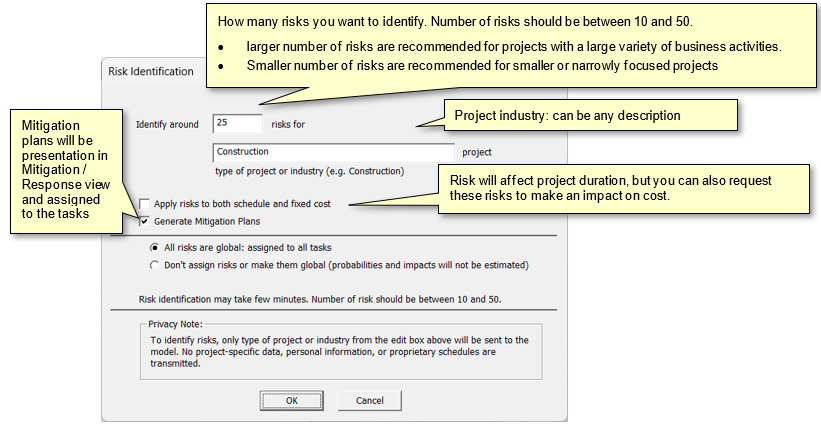
Risk identification is performed using Large Language models (LLMs). RiskyProject will send the information that you have provided to the Intaver’s server which will then be passed to the commercial LLM. Therefore, to use Risk Identification feature you must have Internet access. Particular LLMs such as Gemini by Google, Claude by Anthropic, etc. will be determined by Intaver Institute to ensure best accuracy of results and performance. Cost of using LLM is included to the RiskyProject license price. Although RiskyProject Risk Identification process is considered to be quite accurate and comprehensive, we recommend that any results including risks, assessments, assignments, and mitigations be thoroughly reviewed by your project team. To identify risks, only type of project or industry from the edit box above will be sent to the model. No project-specific data, personal information, or proprietary schedules are transmitted. How to Identify Risks
See also
Risk Probability and Chance |