Professional version only
Critical Path
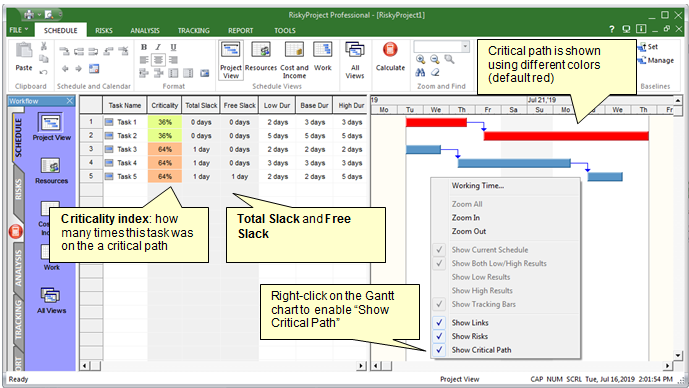
By default, critical path calculation is disabled to improve calculation performance. If you enable critical path calculation, you can view
critical tasks on the Gantt chart, as well as critical path metrics.
You need enable critical path calculation in Options > Calculation > Calculate Critical Path. It is disabled by default
To view critical path and critical path metrics:
- Open the Project view or Result Gantt view.
- Right-click on Gantt chart and click on Show Critical Path
- Right-click on the column header for the list of tasks and insert column with critical path metrics: Late Start, Late Finish, Total Slack, Free Slack,
or Criticality index. You can also select Critical Path – cur.schedule, which is an indicator that this task is on the critical path.
Notes:
- You can change color for the critical path under Format Gantt Chart
- Critical path may slow down Monte Carlo simulation. You may disable Critical Path calculation if don’t need to analyze critical path.
See also:
Critical Path Metrics
|

